HTMQL

Business web applications from HTML and SQL; simple to run, no lock-in.
What is HTMQL?
The fastest path from a SQL database to a working web app
HTMQL is a tool for building business web applications. Applications can be a complete system with navigation, roles, and reports — or exactly one screen that fills a specific gap in a system you already run. If you have a SQL database and need a web interface for it, HTMQL is designed to be the fastest path from that database to a working, deployable application.
It consists of a single compiled executable that you drop next to a folder of plain-text page files, written using standard HTML and SQL. It comes bundled with authentication, authorization controls, PDF generation, email, file handling, database migrations, and more. Your data stays in a SQL database you control. The platform's source code is public. No complex installation, no subscription, no vendor lock-in.
Here is a complete application page
Every page is one .htmql file: a header with SQL commands and settings, and HTML
below it. This is a full to-do list. A single page displays all tasks, adds new ones from a form,
toggles them complete, and deletes them. There is no controller, no model, no route file,
and no custom JavaScript.
{{/*
+staff
-guest
GET:tasks:SELECT id, task, done FROM todo ORDER BY id;
POST:!:INSERT INTO todo (task, done) VALUES (@task, 0);
POST:"Task added."
POST:!"Failed to add task."
PUT:!:UPDATE todo SET done=1-done WHERE id=@id;
PUT:""
DELETE:!:DELETE FROM todo WHERE id=@id;
DELETE:"Task deleted."
DELETE:!"Failed to delete task."
*/}}
<title>To Do List</title>
<form method="post" class="f-row">
<input type="text" name="task" class="flex-grow:1"
placeholder="Add a new task..." required>
<button type="submit">Add</button>
</form>
<ul>
{{range .tasks}}
<li class="f-row align-items:center">
<input type="checkbox" {{if .done}}checked{{end}}
hx-put="/todo?id={{.id}}" hx-target="#page">
<span>{{.task}}</span>
<button hx-delete="/todo?id={{.id}}"
hx-target="#page">Delete</button>
</li>
{{else}}
<li>No tasks yet.</li>
{{end}}
</ul>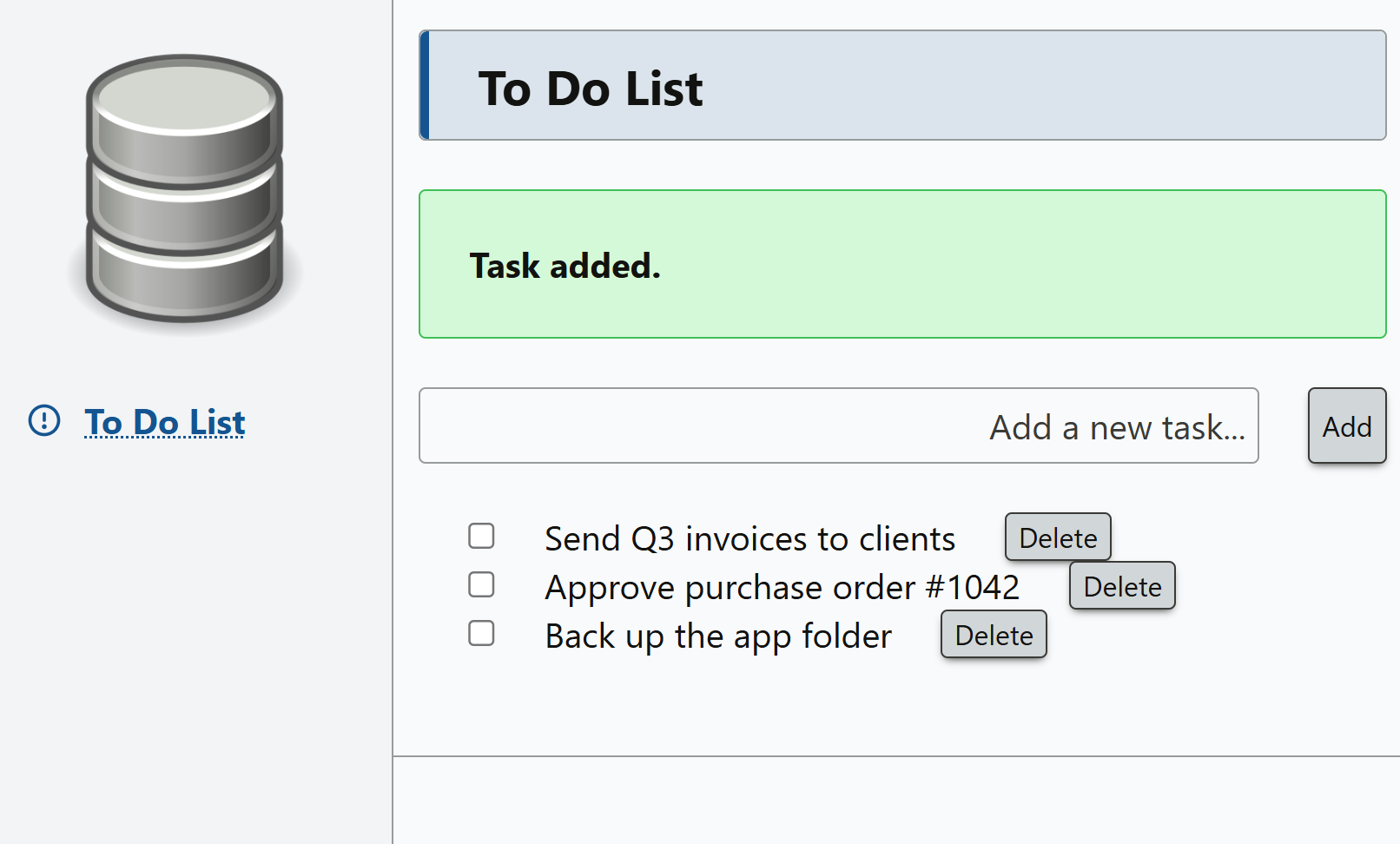
The #10 To Do List line adds this page to the application's navigation
menu at position 10. The menu is rendered by the system/header.html
template, which wraps every page and can be customized to match your branding and layout.
The +staff and -guest lines control who can access the page
based on their role membership.
Pages without role decorators follow the default access settings defined in the
config. Roles come from OIDC token claims or a local database table, and are checked
automatically on every request. No middleware or guard code to write.
GET, POST, PUT, PATCH, and
DELETE lines reflect the SQL commands that execute for the respective HTTP methods. Here, POST
runs when the form is submitted, PUT when a checkbox is clicked (its
done=1-done toggles the completed state), and DELETE when a
Delete button is clicked; GET re-renders the page after any write
completes. The ! marks a write as critical: if it fails, the SQL
transaction rolls back and an error is shown to the user. The quoted strings alongside
each method set its success and failure messages. PUT:"" suppresses the
success message. Message appearance is controlled by the system/success.html
and system/error.html templates.
The checkbox and Delete button use hx-put and hx-delete
attributes from htmx, a lightweight JavaScript library bundled with HTMQL that sends
any HTTP method directly from HTML attributes. No custom JavaScript, no controller,
no model, no route file. One file, top to bottom.
Deployment is a folder
The server is a single executable. Place it next to a config.json and your
pages folder, and run it as a Windows service or Linux daemon. The only external
dependency is a Chromium-based browser, and only if PDF generation is enabled.
That folder is the entire application. Backing it up is copying the folder; putting it under version control takes one command.
my-app/
├── htmql-server(.exe)
├── config.json
├── pages/
│   ├── index.htmql
│   └── todo.htmql
├── migrations/
│   └── 001_create_todo.sql
└── system/
    ├── header.html
    ├── footer.html
    ├── success.html
    ├── error.html
    └── 404.html
Batteries included
Everything built in, nothing to install
Authentication
OIDC/OAuth2 (Microsoft, Google, Auth0…) or form-based local or SQL authentication.
Authorization
One line in the page header controls access; roles managed in a SQL table or OIDC.
PDF generation
One SQL command renders the page's HTML as a PDF; view inline, download, or save.
One SQL command sends email with optional attachments via SMTP or Microsoft 365 Graph.
File uploads & downloads
Standard HTML file inputs; storage in your local file system, database, S3, or SFTP.
Database migrations
SQL script files in a folder, applied on startup and tracked in a table.
Bundled frontend libraries
HTMX, Hyperscript, Missing.css, Leaflet, Toast UI Editor, Tablekit.js
AI agent friendly
An extensive AGENTS.md reference helps AI tools write pages using practical patterns.
External executables
When the built-in capabilites aren't enough, call external scripts or programs on the server.
On the roadmap: server-side web API calls, a scheduled task runner, a plugin architecture, SharePoint and Google Workspace integration, Oracle database support, and more.
Security
Secure by default
A page format built on raw SQL and HTML raises an obvious question: what about injection?
HTMQL is designed so that the safe path is the default path. Every @parameter
is passed to the database as a bound parameter — HTMQL never concatenates user
input into SQL. Every template value is escaped on output. Page access rules are enforced on the
server before any SQL runs. None of this requires configuration; it is simply how the
server works.
The same principle applies to everything else the server does. Risky capabilities, such as calling external programs, are off until you deliberately enable them; the server refuses to start without an explicit authentication choice; and secrets can be supplied through environment variables and are redacted from logs and the admin view.
Covered out of the box
- SQL injection — every
@parameteris bound, never concatenated, with quote- and comment-aware parsing. - Cross-site scripting — contextual auto-escaping on every template value; user-entered Markdown is sanitized before rendering.
- Unauthorized access — deny-by-default page authorization enforced server-side, with per-method rules and one-line fail-closed row-level guards.
- Session theft —
HttpOnly,SameSite, andSecure/__Host-session cookies; sessions are held server-side with idle and absolute expiry, and optional re-authentication when a session roams to a different network. - Brute force & floods — login and anonymous-traffic rate
limiting on by default; request and connection caps shed overload with a clean
503instead of falling over. - Hostile uploads — dangerous file types blocked by default, filenames sanitized, path traversal contained, and stored files can never execute scripts in your site's origin.
- Open redirects & header injection — redirects stay on your site unless a host is explicitly allowlisted; email address headers are sanitized; external programs are invoked without a shell.
- Plaintext traffic — HTTPS with automatic Let's Encrypt certificates and renewal, HSTS under TLS, and baseline security headers on every response.
Before you go live
Defaults cover the fundamentals, but a real deployment still involves choices: TLS, rate limits, upload filters, reverse proxies. The Production & Security Hardening guide lists every setting worth reviewing — what it does, its default, and a recommendation — and ends with a go-live checklist. The full Security documentation covers authentication, authorization, row-level security, sessions, and rate limiting in depth.
Audience & fit
Who it's for, and who it isn't
HTMQL is aimed at developers and technical users — the one-person IT department, the business analyst, the consultant — who need to deliver a working web app quickly. If you know SQL and basic HTML, or can use AI tools to bridge your knowledge, this tool can work for you. It occupies the space between low-code platforms and full web frameworks: the productivity of a rapid development tool without surrendering control over your data, your code, or your deployment. And it fits jobs of every size: a complete line-of-business application, or a single page embedded in an intranet portal, or standing alone on a kiosk.
Example use cases
- Invoicing system — clients, invoices, PDF generation, email to client, payment status
- Purchase order system — vendors, POs, approval workflow, PDF to vendor via email
- Equipment maintenance tracker — asset register, safety checks, schedules, repair requests
- Legacy application replacement — modern web interface over an existing SQL database, replacing aging MS Access and custom desktop apps
- Customer portal — authenticated access for external users to view or submit data
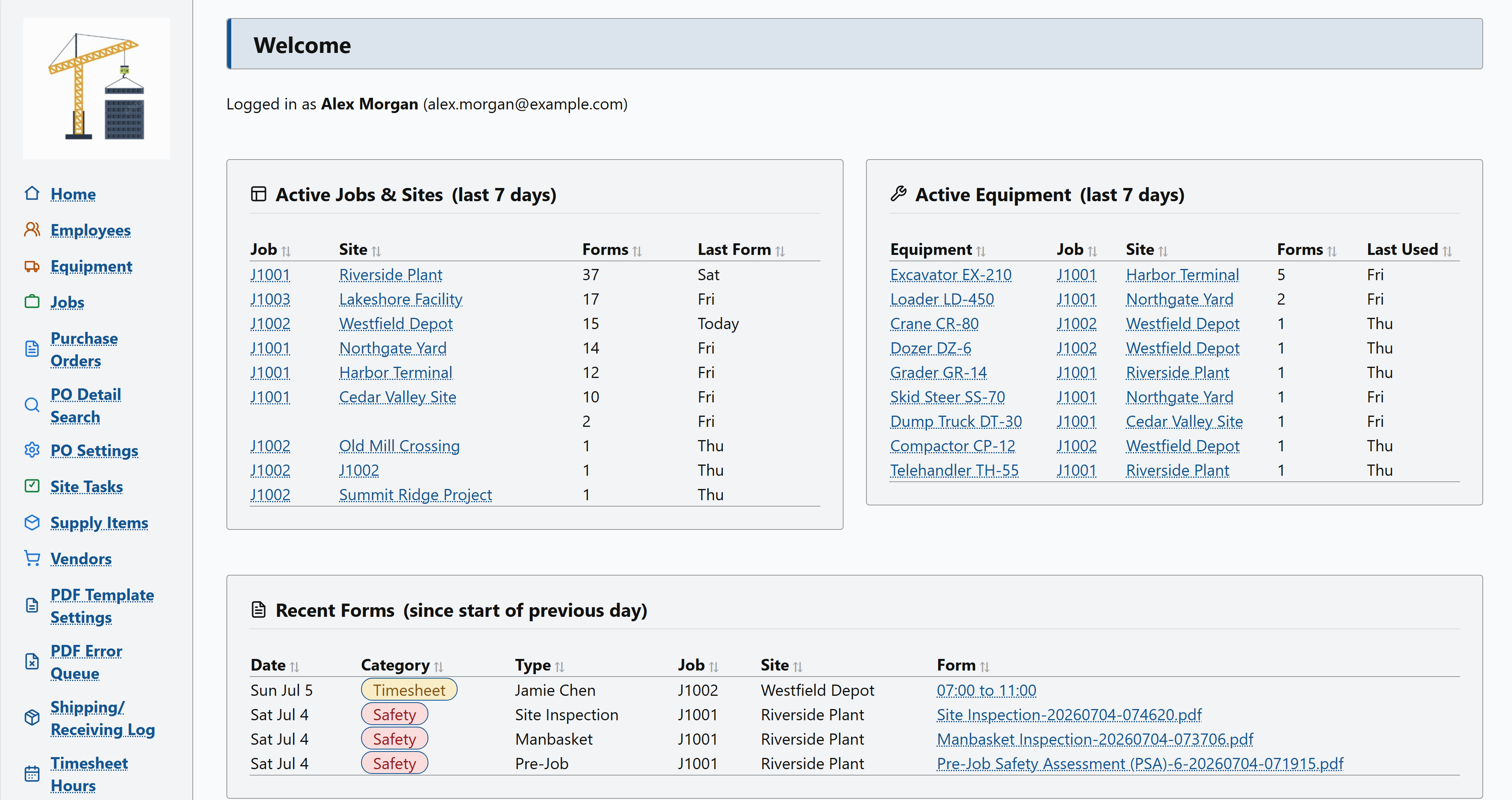
- Companion screens — single embedded pages that fill a gap in a larger system: a lookup, a report, or an entry form surfaced inside a portal, ERP, or intranet
When you should choose something else
HTMQL is not the right tool for every project. Consider a low-code tool if you do not want to deal with HTML or SQL. Consider a general-purpose framework if you are an experienced frontend developer who wants component frameworks and build pipelines, if your team specializes independently on frontend and backend, or if you are building a public API for mobile clients or third-party integrations.
AI-assisted development
Designed for AI tools from day one
Every page is a single self-contained file, so an AI assistant can read or write one
.htmql file and understand everything the page does. The platform ships with
AGENTS.md, a complete AI-oriented reference for the page format: point your AI
coding tool at it and describe what you want in business terms —
“add a page that lists all open invoices, sorted by due date, with a button to mark
each one paid” — and it can produce a working page.
Get involved
HTMQL is in early access
HTMQL Server is available now, ahead of its 1.0 release. The release package contains signed binaries for Windows and Linux, a basic set of templates to get you started, the AGENTS.MD file, and the full documentation. The source code is public under the Apache 2.0 license. It is early access: the page format may still change before 1.0. We want your feedback - what you'd build, what's missing, and where the format breaks down for you.
Feedback and questions: feedback@htmql.com